TOC
Job-Hunting Guide: 6 Steps to Stay Organized
Job-Hunting Guide: 6 Steps to Stay Organized
Job hunting is stressful enough without losing track of which companies you've applied to, who you talked to, and when you need to follow up. SpokeToWork helps you stay organized with a simple system for tracking companies and applications - all kept private and secure on your own account.
What SpokeToWork Helps You Do
SpokeToWork is designed for job seekers who want to:
- Keep track of companies you're interested in working for
- Manage job applications from "Applied" through interviews to offers
- Plan visits to companies (great for delivery drivers, sales roles, or just dropping off resumes)
- Stay organized with notes, contacts, and follow-up reminders
- Connect with others through private, encrypted messaging
Step 1: Set Your Home Location
Before adding companies, head to the Companies page and set your Home Location. This lets SpokeToWork calculate distances and plan efficient routes to potential employers.
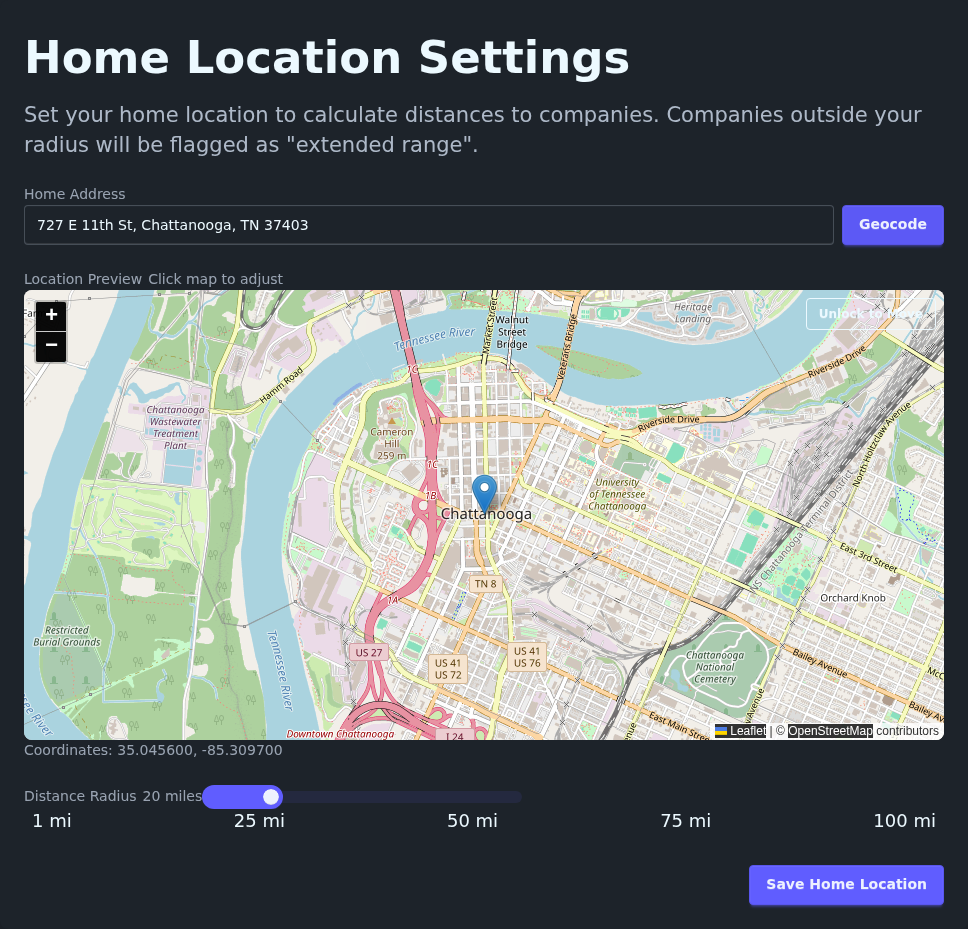 Enter your address and click Geocode to set your starting point
For this walkthrough, we're starting from Community Kitchen (727 E 11th St, Chattanooga, TN 37403) - a real resource in downtown Chattanooga that helps folks getting back on their feet.
Setting your home location first means every company you add will automatically show you how far away it is - helpful when you're planning visits by bike or on foot.
Step 2: Add Your First Company
Head to the Companies page. This is where you'll build your list of potential employers.
Adding the Chattanooga Public Library
Click Add Company to open the form. Let's add a real location:
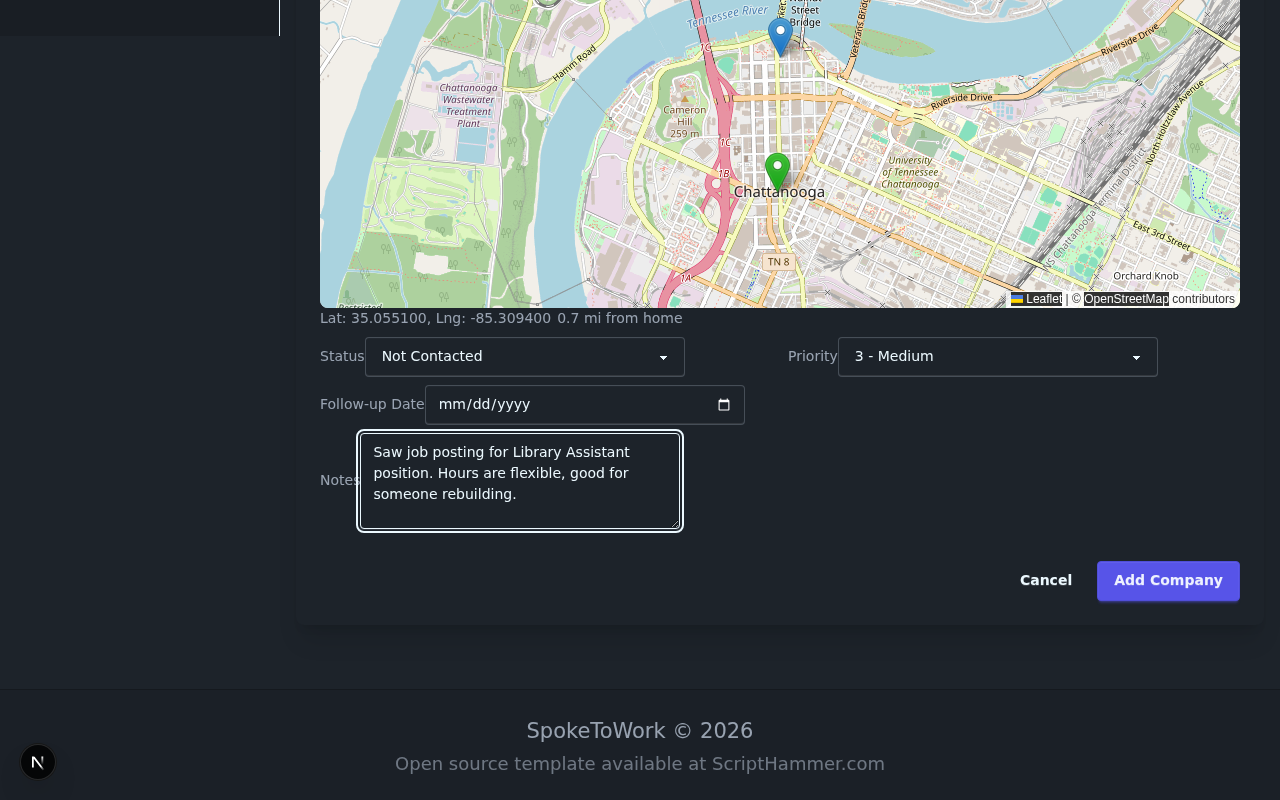 The company form lets you capture all the details you need
Fill in the basics:
- Company Name: Chattanooga Public Library
- Address: 1001 Broad St, Chattanooga, TN 37402
- Website: https://chattlibrary.org
- Phone: (423) 757-5310
Adding Contact Information
The best job searches involve real connections. Add your contact at the company:
- Contact Name: Human Resources
- Contact Title: HR Department
- Email: jobs@chattlibrary.org
Setting Status and Priority
Use status to track where you are with each company:
- Not Contacted - Companies you're researching
- Contacted - You've reached out
- Follow Up - Need to check back
- Meeting Scheduled - Interview scheduled
- Positive Outcome - Got the job!
- Negative Outcome - Didn't work out (but you learned something)
Notes for Future You
Use the Notes field for anything helpful:
> "Saw job posting for Library Assistant position. Hours are flexible, good for someone rebuilding. Apply online or in person."
Click Save and your company is tracked!
Step 3: View Your Companies
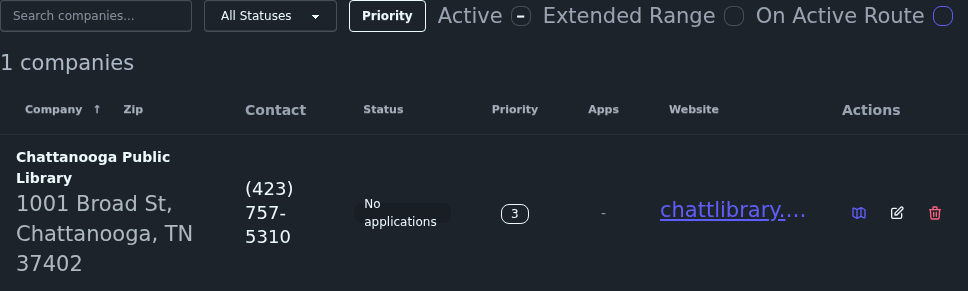 Your company list shows status, priority, and latest application at a glance
Your companies page shows:
- Company name and location
- Current status (color-coded for quick scanning)
- Priority level
- Most recent application status
- Quick actions to edit, view details, or delete
Step 4: Track a Job Application
Found a job posting? Let's track it!
Adding an Application
Click on the Chattanooga Public Library to open the details drawer, then click the Add button next to the Applications header (or Add your first application if you haven't added any yet).
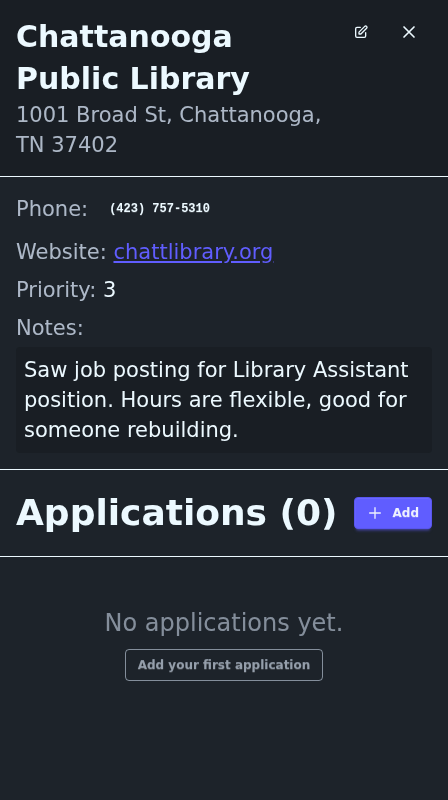 Track each application with position details and dates
Fill in:
- Position Title: Library Assistant
- Date Applied: December 14, 2025
- Status: Applied
Application Statuses
SpokeToWork tracks your application through each stage:
- Not Applied - You're interested but haven't applied yet
- Applied - Application submitted
- Screening - Initial review, phone screen
- Interviewing - In-person or video interviews
- Offer - They made you an offer!
- Closed - Position filled or you moved on
Tracking Outcomes
When an application concludes, record the outcome:
- Pending - Still in progress
- Hired - You got the job!
- Rejected - They said no (it happens)
- Withdrawn - You decided to pass
- Ghosted - Never heard back (unfortunately common)
Step 5: Plan Your Visits with Routes
For job hunters who want to visit companies in person - whether to drop off a resume, scope out the location, or attend an interview - SpokeToWork includes bicycle route planning.
 Plan your route and mark which companies to visit on your next trip
Creating a Route
- Click the New button in the Routes sidebar
- Name it (e.g., "Downtown Chattanooga - Week 1")
- Add companies from your list to the route
- Drag to reorder your stops
The "Next Ride" Feature
Mark companies with Next to highlight which ones you'll visit on your next trip. This keeps your route focused when you have many companies saved.
View on the Map
Navigate to the Map page from the main navigation to see all your companies plotted on an interactive map. The route line shows the suggested path between stops.
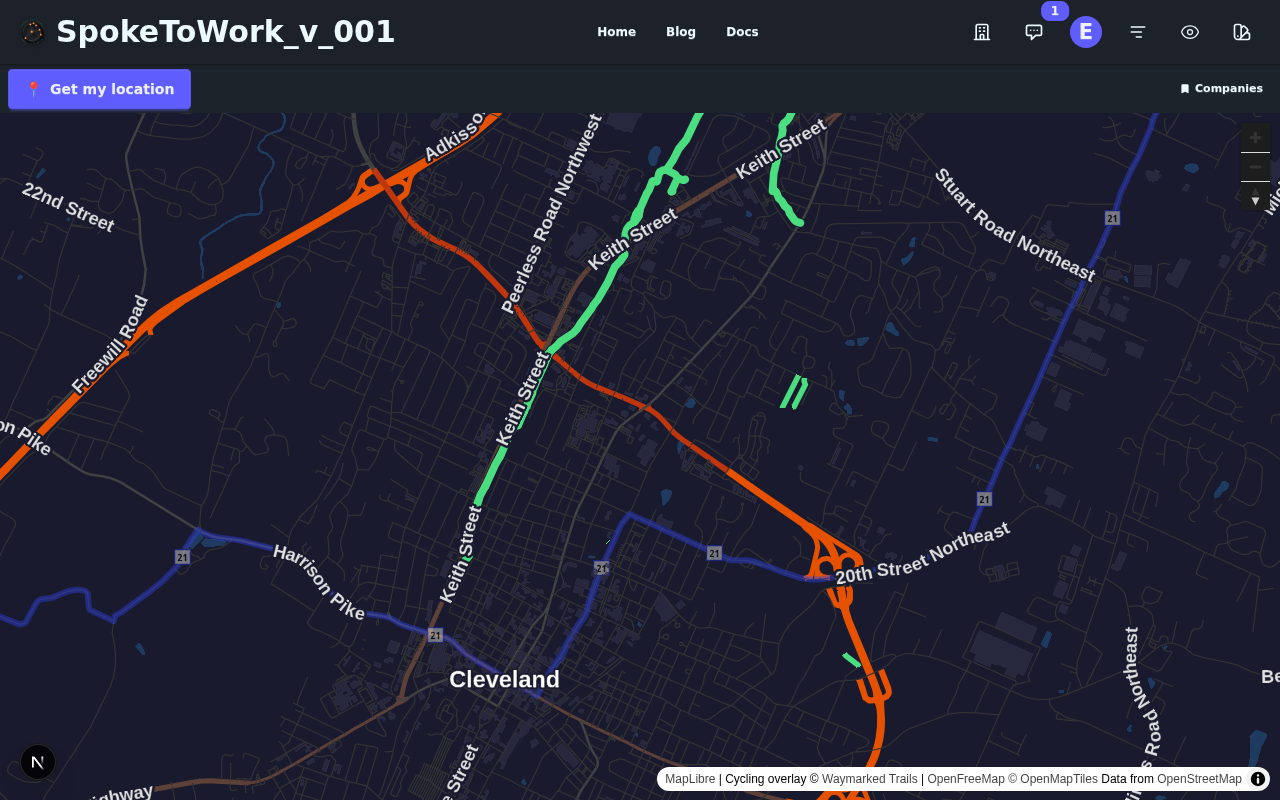 See your companies on a map with the planned route
Step 6: Privacy and Security
Your job search is personal. Here's how SpokeToWork handles your data:
- Your Data, Your Account: Companies and applications are private to your account - only you can see them
- Encrypted Messaging: If you connect with other job seekers, messages are end-to-end encrypted. We literally cannot read them, even if we wanted to
- Anonymous Analytics: We use Google Analytics to understand how people use the app (which pages are popular, where users get stuck). This data is anonymous - we see trends, not individuals. We never sell this data.
- No Data Selling: We don't sell your personal information to advertisers or third parties
Quick Reference: Job Application Workflow
Here's a typical workflow for tracking a job opportunity:
- Set up: Configure your home location in your profile
- Research: Find a company you like, add it to SpokeToWork with status "Not Contacted"
- Reach Out: Apply for a position, update status to "Contacted", add an application with "Applied"
- Follow Up: Set a follow-up date, add notes about any conversations
- Interview: Update application status to "Interviewing", add interview date
- Result: Record the outcome - celebrate if hired, learn if not
Tips for Job Search Success
Keep Notes Updated
Future you will thank present you for detailed notes. Write down:
- Who you talked to and when
- What they said about the role
- Any requirements or next steps mentioned
Use Priority Wisely
Not all opportunities are equal. Rank your dream jobs higher so you focus energy where it matters most.
Check In Weekly
Set aside time each week to:
- Review your application statuses
- Update any companies where things have changed
- Add new companies you've discovered
Don't Take Ghosting Personally
If a company never responds, mark it and move on. The outcome tracking helps you see patterns - some industries are worse about this than others.
What's Next?
You're ready to start organizing your job search! Here's what to do:
- Sign up or log in to your account
- Set your home location in your profile
- Add 3-5 companies you're interested in
- Track at least one application to see how it works
- Explore the map if you plan to visit any locations
Have questions? Check out our other guides or reach out through the contact page.
